Download Free IObit Uninstaller Pro 16.0.0.34 full version for Windows. Regular Windows uninstall often leaves behind leftover files, folders, and registry entries even after you remove a program. This tool goes further than that, it clears out those extra pieces too, so your system stays clean and doesn’t slow down over time.
Overview of IObit Uninstaller Pro
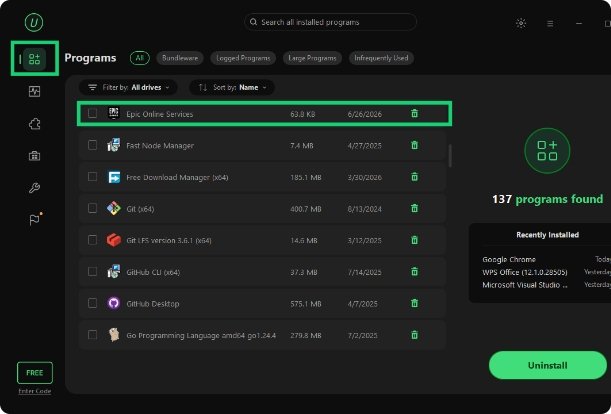
IObit Uninstaller Pro scans your PC for every trace a program leaves behind and removes it along with the main app. You can uninstall desktop programs, Windows Store apps, and browser extensions all from one place, instead of hunting through different menus for each one. It also lets you run batch uninstalls, so you can select a bunch of unused programs and clear them out in a single go.
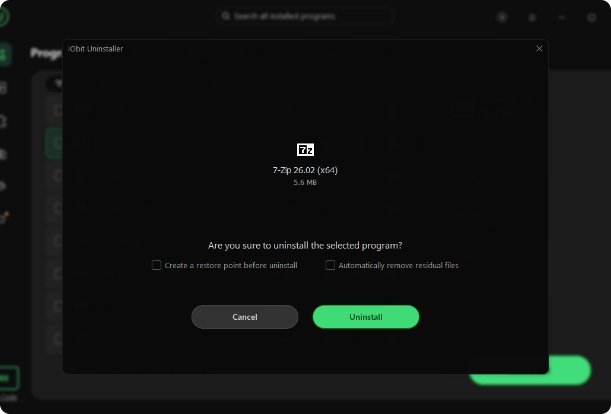
One thing you will notice right away is the bundleware warning. Whenever you install new software, IObit Uninstaller Pro keeps an eye out and flags any extra toolbar or bundled app trying to sneak in with it. Additionally, it creates a system restore point before any big removal, so you can roll things back if something goes wrong. It also comes with Force Uninstall and Easy Uninstall modes for those stubborn programs that refuse to close through the normal Add/Remove Programs screen.
Another good part of this tool is the Software Health feature, which lets you manage app permissions and block annoying pop-ups from programs running in the background. It also includes a Software Updater that checks your installed apps and lets you update several of them at once. Moreover, a built-in file shredder is included too, so you can permanently delete sensitive files instead of just sending them to the recycle bin.
Features
- Removes leftover files, folders, and registry entries after uninstalling
- Uninstalls desktop programs, Windows apps, and browser extensions
- Runs batch uninstalls on several programs at once
- Warns you about bundleware and toolbars before they install
- Creates a system restore point before major removals
- Includes Force Uninstall and Easy Uninstall for stuck programs
- Removes updates installed through Windows Update
- Manages app permissions with the Software Health tool
- Blocks pop-up ads from background programs
- Updates several installed apps at once with Software Updater
- Shreds files permanently so they can’t be recovered
- Comes with a portable version alongside the regular installer